The view you need,
without the wait
Your team describes a chart, board, or report. AI Widget Studio builds it as a working widget inside your existing cplace environment, on your real data and with permissions applied. No project, no development ticket.
Request a demo
See AI Widget Studio in action
Watch a few sentences of plain language turn into a working widget on real cplace data.
What is cplace AI Widget Studio?
cplace AI Widget Studio brings vibe coding with enterprise guardrails to single widgets in an existing cplace environment. Business users describe a specialized chart, board, or interactive report in plain language, and AI Widget Studio builds it live on the real cplace data model as a Low-Code widget, without changing the solution underneath. Teams refine it with feedback and publish it to dashboards and project pages, where existing permissions apply.
Beyond the widget catalog
cplace has always been easy to adapt. With No-Code configuration, your teams add views, dashboards, and workflows without waiting on developers.
Views that go further than any standard widget used to need custom Low-Code development. AI Widget Studio replaces that with plain language: key users, PMO analysts, and solution experts describe what their teams need to see and build it themselves, without learning the toolkit first.

How AI Widget Studio works

Description
Your team describes the chart, board, or interactive report it needs, in plain language. A few sentences are enough to get started.

Live build
AI Widget Studio builds the widget live on your real cplace data model, so you see your own data from the start. Feedback turns into changes in seconds.

Refinement and publishing
Once the widget does what it should, you publish it to dashboards and project pages. Existing permissions apply, so every user sees only the data they’re allowed to see.
What teams build with it
If your team can describe it, AI Widget Studio can build it. A few examples:
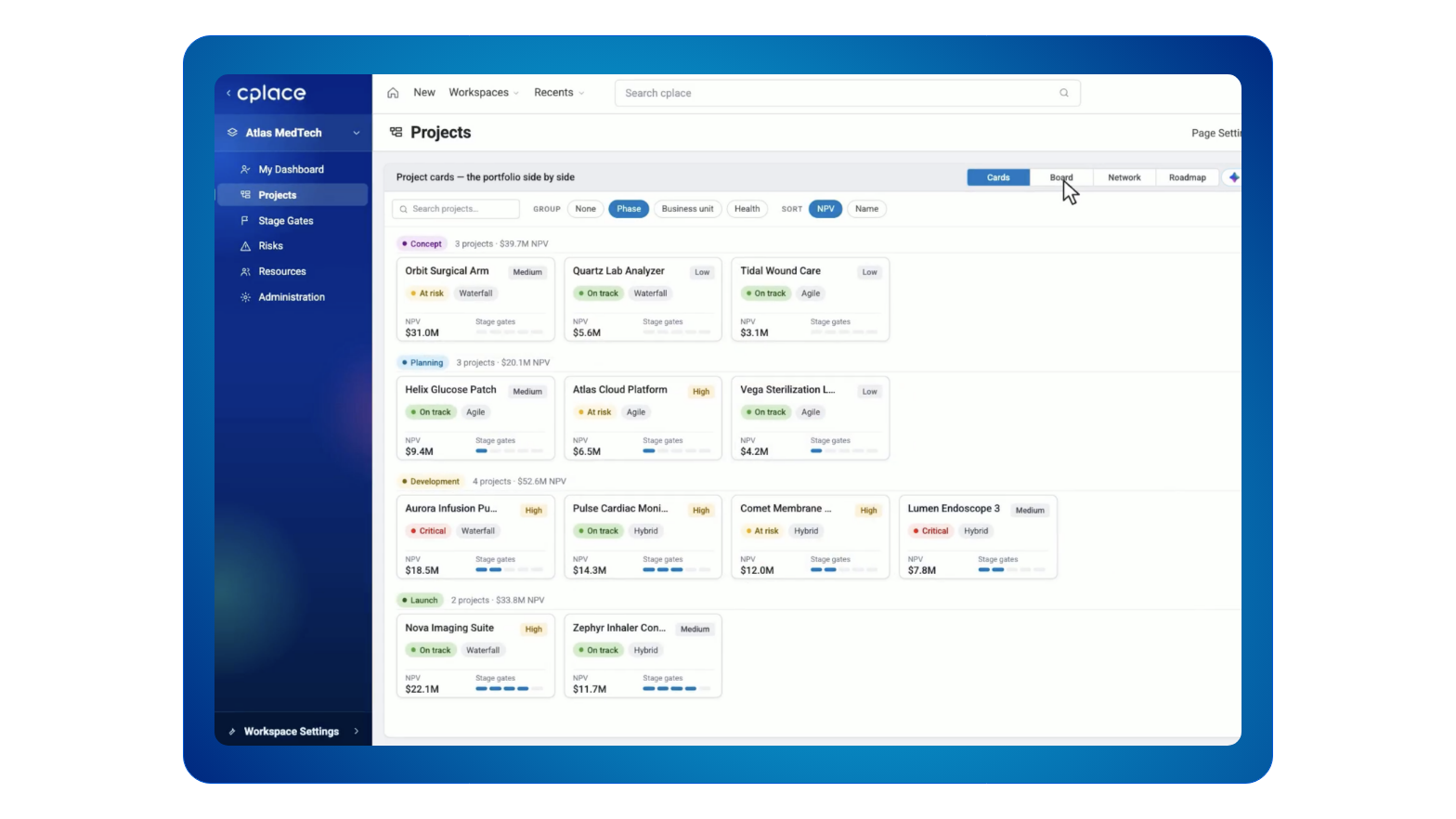
Project cards
Projects displayed as project cards, with exactly the columns, cards, and actions your process needs
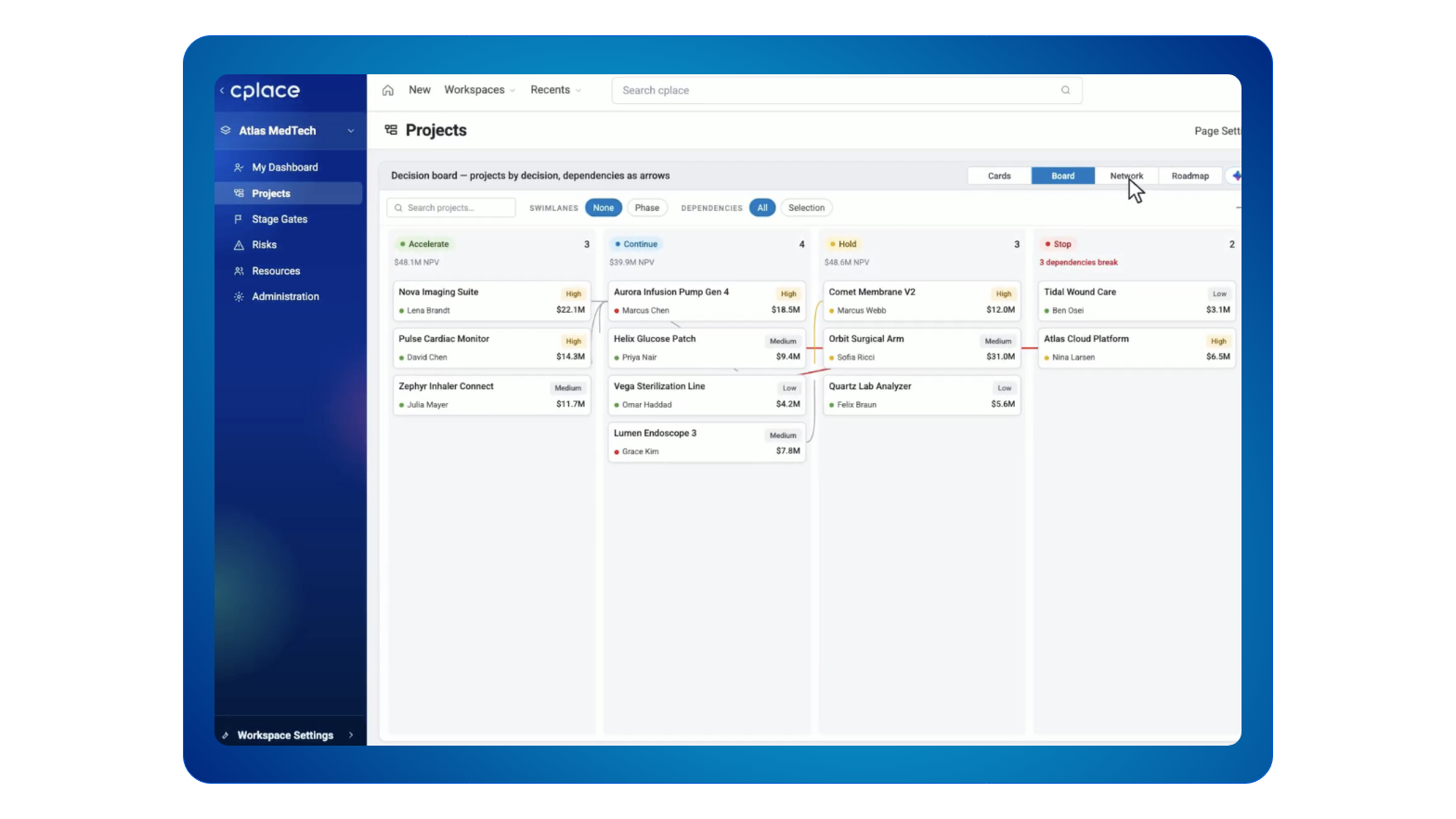
Decision board
A board-style layout with customized phases and dependencies
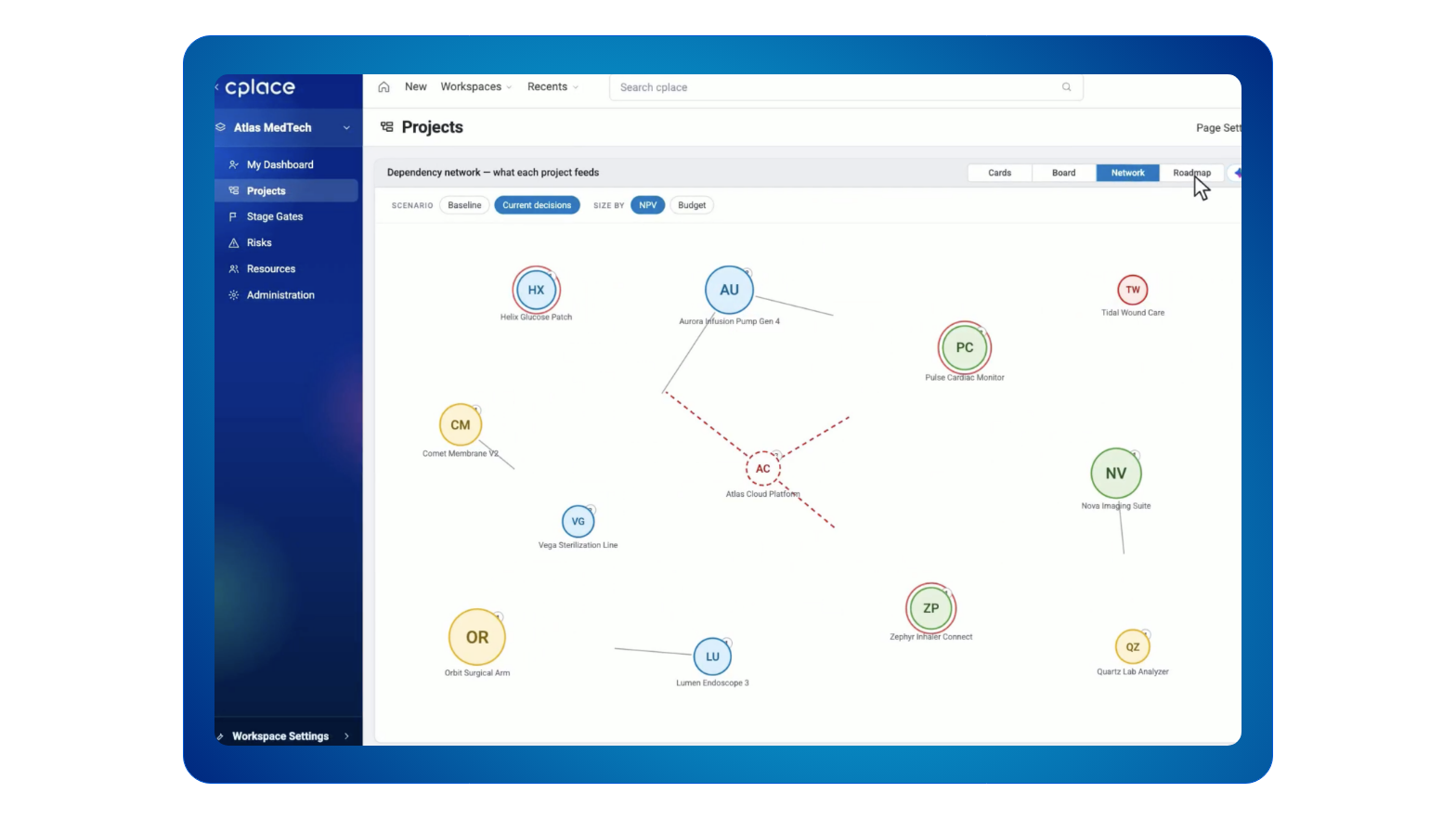
Dependency network
A dependency network that shows all projects along with their impacts and dependencies
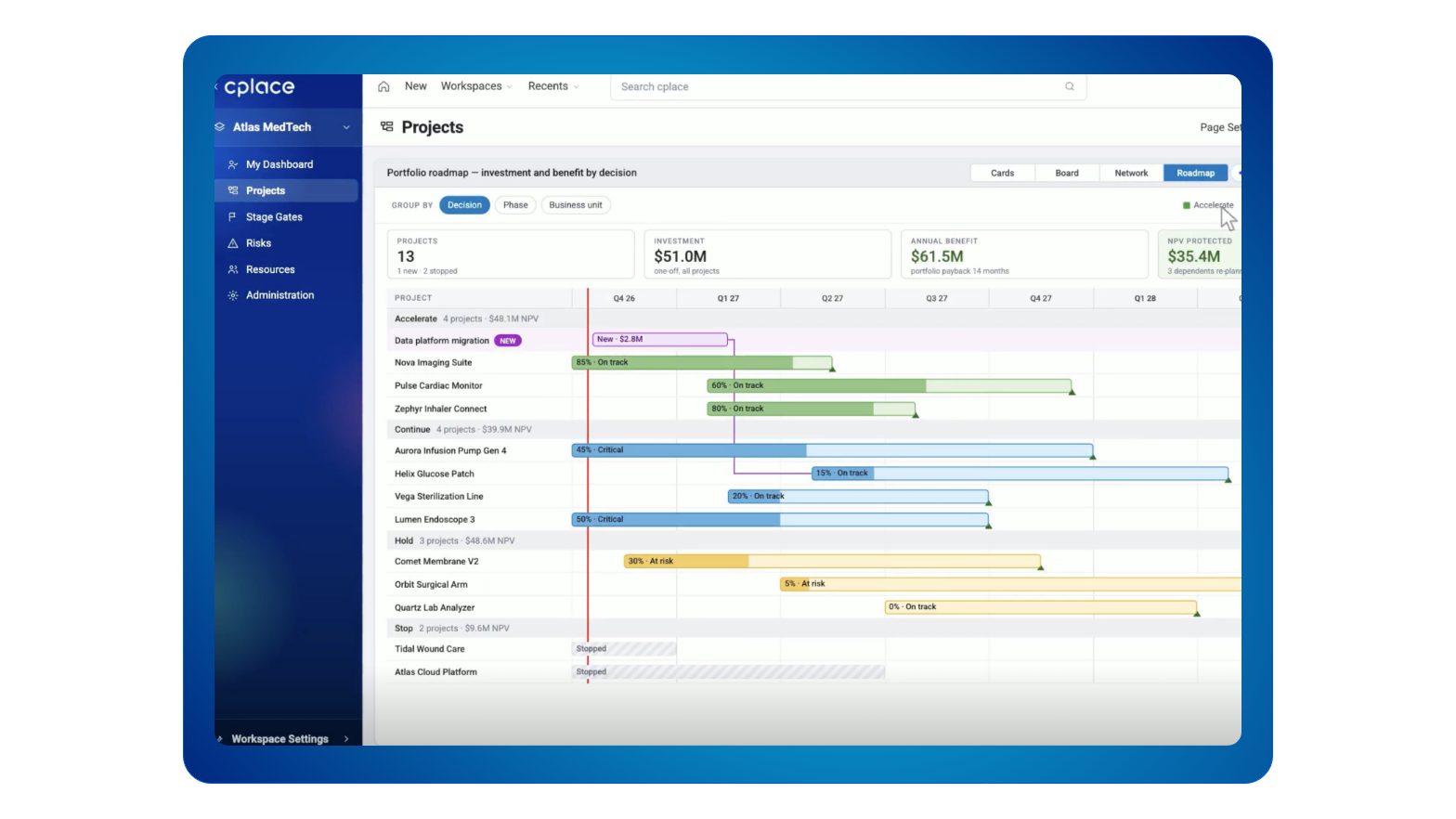
Decision roadmap
A roadmap with individual characteristics – in this example grouped by decisions
Built within the lines IT draws
Business teams get the freedom to build their own views. The cplace platform keeps the guardrails in place.

Your real data model
Widgets are built on the data your teams already work with, not on copies or exports.

Permissions applied
Every widget respects your existing roles and permissions. Nobody sees data through a widget that they couldn’t see anyway.

Low-Code, not a black box
Each widget is a Low-Code widget in cplace, visible and editable like anything your teams built by hand.
AI Widget Studio or AI Builder?
| AI Widget Studio | AI Builder | |
|---|---|---|
|
Scope |
One widget |
A whole solution |
|
Starts from |
A description of the view you need |
Documents, spreadsheets, slides, or an existing cplace solution |
|
Works in |
Your existing cplace environment, on top of the solution you run |
New or existing cplace solutions, including data model, workflows, and layouts |
|
Who builds |
Business users, on their own |
Domain experts with cplace experts, as part of cplace Accelerate |
|
Typical result |
A chart, board, or interactive report on a dashboard or project page |
A complete application with data model, workflows, layouts, and dashboards |

Frequently asked questions
No. You describe the widget in plain language and refine it with feedback. The result is a Low-Code widget in cplace that your teams can maintain without writing code.
No. Business users build widgets on their own, directly in your existing cplace environment.
No. It adds widgets to dashboards and project pages, while the data model, workflows, and the rest of your solution stay as they are. To build or change a whole solution, AI Builder is the right tool.
Yes. AI Widget Studio builds every widget live on your real cplace data model, so you see your own data while the widget takes shape.
AI Widget Studio follows the same governance as the rest of your cplace solution. Your administrators decide which roles can use AI Widget Studio, and teams can only publish widgets to dashboards and project pages they’re already allowed to edit. Every widget is a Low-Code widget in cplace, so administrators can see, review, adjust, or remove it like any other part of your solution.
The people who can open the dashboard or project page where you publish it. Existing permissions apply to every widget, so users only see data they’re allowed to see.
Yes. You can refine a widget with AI Widget Studio at any time or edit it directly in cplace’s Low-Code toolkit.
Standard widgets cover common views across projects and portfolios. AI Widget Studio is for the views that are specific to your process and would otherwise require custom development.
No. You bring your own key and choose your AI provider. cplace data is never used for AI model training, and every interaction is logged and auditable.