TREES by 2l Forge
Visualize, edit, and analyze any hierarchy in cplace—instantly
Request Demo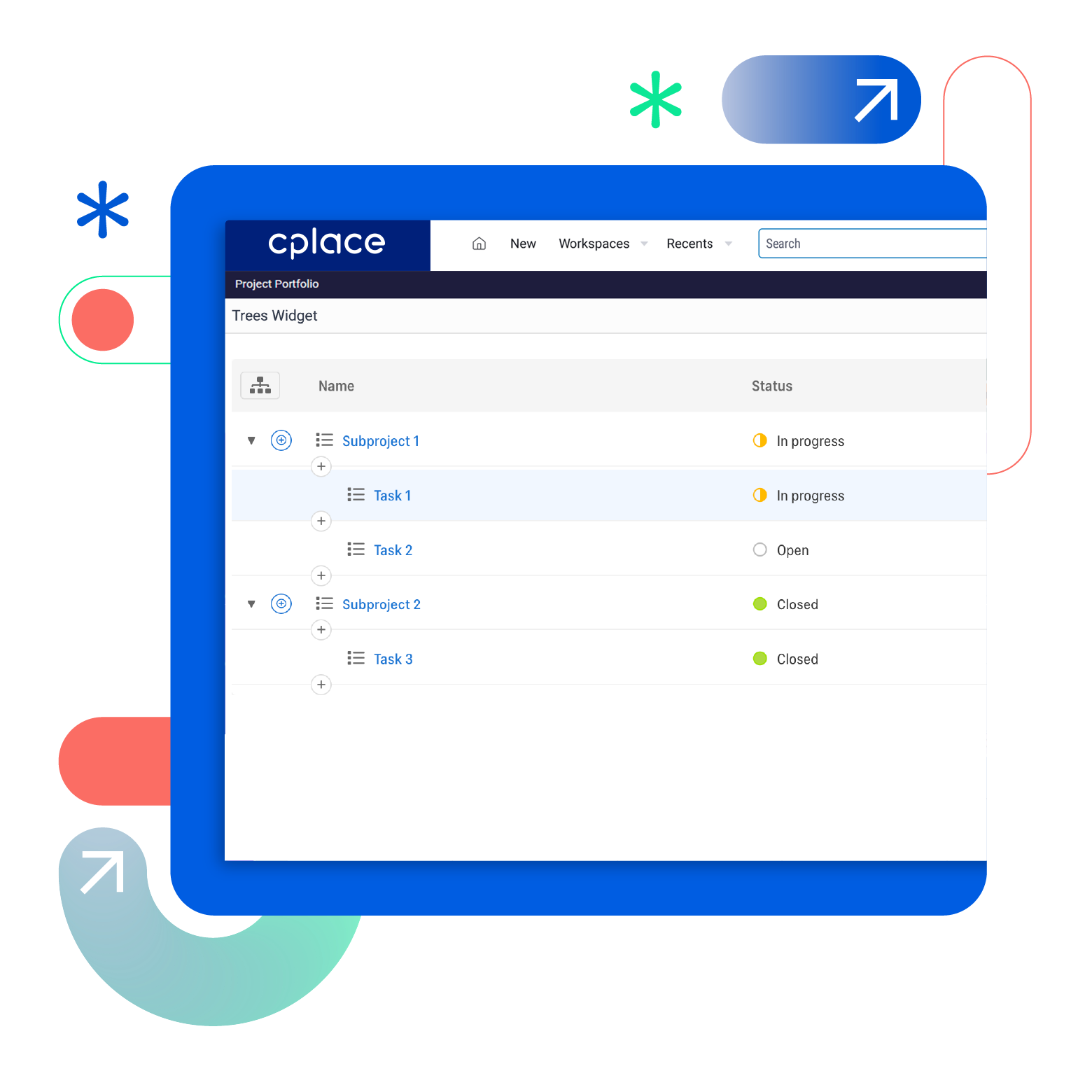
Get complete visibility into your hierarchies: See the full picture, understand dependencies, and make changes—all in one place.
Navigating complex project portfolios, org structures, and product hierarchies means jumping between views and losing track of what connects to what. TREES solves this: Visualize any hierarchy in cplace instantly, edit structures with drag & drop, and automatically aggregate budgets and metrics across all levels.

Any Hierarchy—One View
TREES visualizes all your cplace structures—projects, portfolios, org charts, budgets—in a single, clear interface.

Edit Directly—No Coding
Move elements with drag & drop, add new pages, and restructure hierarchies right in the tool.

Auto-Calculate—Instant Results
Automatically aggregate budgets, dates, and metrics across all levels—no manual work required.
Product Highlights
Project portfolios, organizational structures, product hierarchies—everything is interconnected in modern enterprises. Projects belong to programs, teams to departments, budgets to cost centers. Yet most tools make these dependencies difficult to see. The result: teams lose track, decisions take longer, and connections remain hidden.
With TREES, you can see all hierarchies in cplace at a glance—from your entire project portfolio down to the smallest task. Whether as a structured list or interactive tree diagram, you immediately see which dependencies exist, move elements via drag & drop, and calculate values across multiple levels. No coding, no complex configuration, just a clear view of your data, exactly when you need it.

Benefits

Protect critical structures
Lock important hierarchy areas to prevent accidental changes while keeping the rest editable.

Use calculations everywhere
All aggregated values sync automatically with your cplace reports, dashboards, and analyses.

Get answers on the spot
No more searching across multiple views—see what you need exactly when you need it.

Work your way
Switch instantly between detailed list view and visual tree diagram based on your task.

See context, not just structure
View relevant attributes and details for every element alongside the hierarchy itself.

Restructure in seconds
Reorganize projects, teams, or budgets by simply dragging them to their new position.

Understand budget distribution
See at a glance how costs roll up from individual items to your entire portfolio.

Track timeline dependencies
Automatically identify earliest start dates and latest end dates across all levels.

Deploy anywhere
Use TREES for any hierarchy type—no custom setup needed for different structures.
Overview
Facts
- Category: Project Management
- Developer: collaboration Factory GmbH
Required Licences
Every cplace license from version 25.4 onwards includes read access to the cplace AI Companion. Write access and Custom Agents require a dedicated license and cplace Standard or higher.
You might also be interested in
Portfolio Management
A tailor-made way to visualize and organize portfolios
Resource Management
Efficient, flexible, and future-proof resource planning and management.
Enterprise Scheduling
Schedule Projects the innovative way using Gantt diagrams for clarity in complex projects and sub-projects.